MCMC Urges iOS Update to Stop "DarkSword" Spyware
Saturday, March 21, 2026
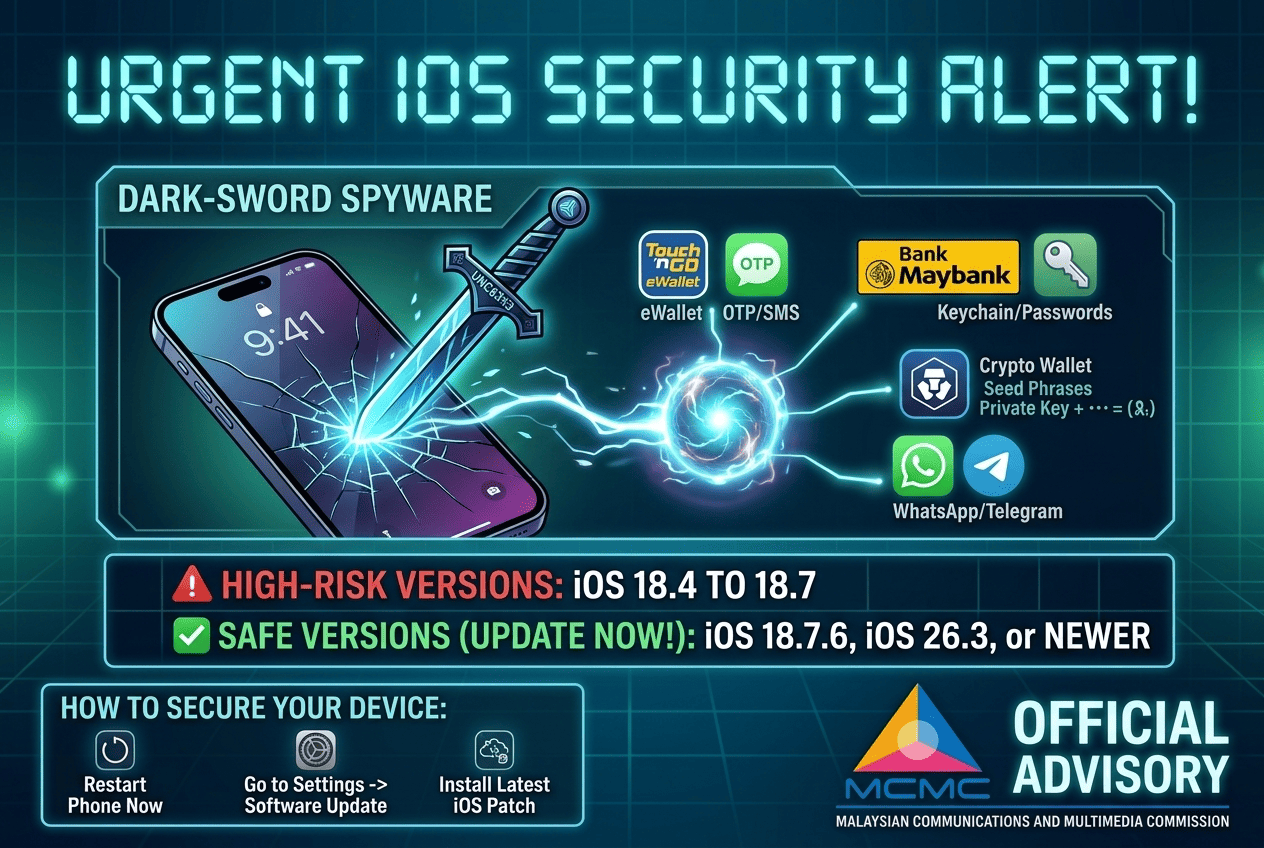
There is a new global "Digital Robber" called DarkSword targeting iPhones around the world, including here in Malaysia. The Malaysian Communications and Multimedia Commission (MCMC) and services like Touch 'n Go (TNG) eWallet are reminding everyone to update their phones immediately to stay safe.
What is DarkSword? (The "Invisible" Spy)
Think of DarkSword as a high-tech "spy" from a Russian hacking group. Unlike old scams where you had to click a suspicious link or download a weird file, this one is much sneakier.
It is a "Zero-Day" threat, which means it found a "secret back door" into iPhones that even Apple didn't know about at first. You could get infected just by visiting a normal-looking website that has been hacked.
What can it steal?
DarkSword is interested in High-Value targets. It doesn't just want your photos; it wants your money:
- TNG & Banking: It tries to "read" your SMS to steal your TAC or OTP codes so it can move money out of your accounts.
- Crypto Wallets: It looks for your secret passwords (seed phrases) to empty your digital wallets.
- Private Spying: It can read your WhatsApp/Telegram messages and even see your location.
Is your iPhone at risk?
Check your version by going to Settings > General > About.
| Your Status | iOS Version |
| ❌ DANGER | iOS 18.4 to 18.7 |
| ✅ SAFE | iOS 18.7.6 or iOS 26.3 (and above) |
If you see an update waiting for you in your settings, install it right now.
Symptoms that your device might be "infected"
Because this spyware is "invisible" (it doesn't show an icon), you have to look for these "symptoms":
| Symptom | What it feels like | Technical Term |
| The Fever | Your phone feels very hot even when sitting idle. | Thermal Spike |
| The Drain | Battery drops 20% in an hour for no reason. | Power Depletion |
| The Ghost | The screen moves or taps by itself. | Ghost Touch / Remote Access |
| The Alert | You get OTPs for logins you didn't start. | Unsolicited Authentication |
How to "Cure" and Prevent it
If you think your phone is acting weird, don't panic. Follow these two simple steps:
- "Force Restart" (Temporary Fix): Think of this as "washing" your phone's brain. Press Volume Up, then Volume Down, then Hold the Side Power Button until the Apple logo appears. This "kills" the spyware if it’s currently running.
- iOS Update (Permanent Solution): A restart only kicks the spy out temporarily. To lock the door forever, go to Settings > General > Software Update and install the latest version. This "patches" the hole so the spy can't get back in.
Security Restoration
The "DarkSword" spyware sounds scary, but it is like a lock that has been picked. As soon as you update your iPhone, Apple "changes the locks" by patching the security holes. Once you are on the latest version (iOS 18.7.6 or iOS 26.3+), the hackers can no longer get in.
Update your phone today, give it a quick restart, and you can go back to using your TNG eWallet and banking apps with peace of mind!
Building Secure Digital Infrastructure
At RN Tech, we understand that security is the foundation of trust. We specialize in developing high-performance web and mobile applications that prioritize user safety above all else.
By following industry-leading security best practices and implementing robust encryption measurements, we ensure your platform is resilient against modern threats like DarkSword. Whether you are building a marketplace or a corporate portal, we redefine software development by fusing vision with velocity—and uncompromised security.
Ready to secure your digital presence? Contact RN Tech today to learn how we can build a safe environment for your users.