Thursday, April 10, 2025
How to Install and Use Google Search Console

What is Google Search Console?
Google Search Console (GSC) is a free tool provided by Google that helps website owners monitor, maintain, and troubleshoot their site's presence in Google Search results.
With GSC, you can:
- Track Rankings: Identify which pages appear on Google and see their average ranking positions.
- Analyze Traffic: Discover the specific keywords (queries) that are driving users to your site.
- Fix Technical Issues: Monitor and resolve errors such as 404 pages, mobile usability issues, or Core Web Vitals.
- Speed Up Indexing: Submit sitemaps to help Google find and crawl your content faster.
- Data-Driven SEO: Gain insights to optimize your SEO strategy based on actual performance data.
In short, GSC is an essential tool for anyone serious about SEO and website health monitoring.
How to Use Google Search Console
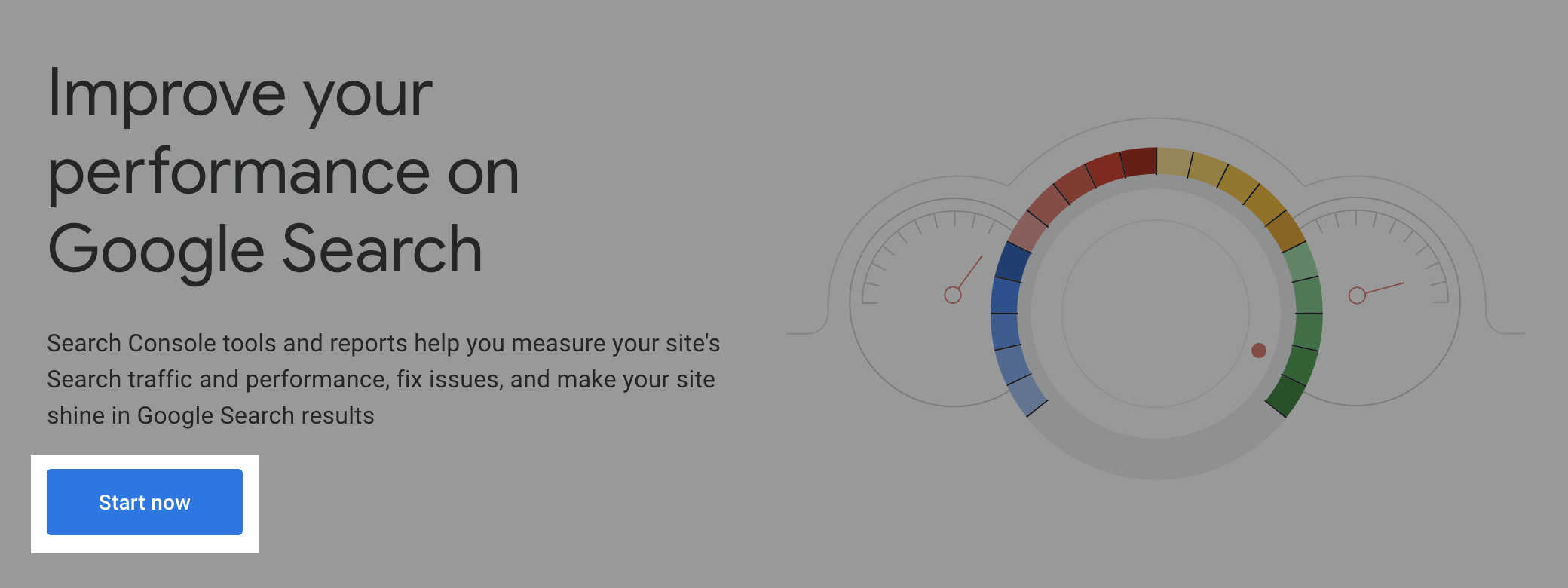
1️⃣ Register and Log In to GSC
- Go to the website: https://search.google.com/search-console
Log in using your Google account.
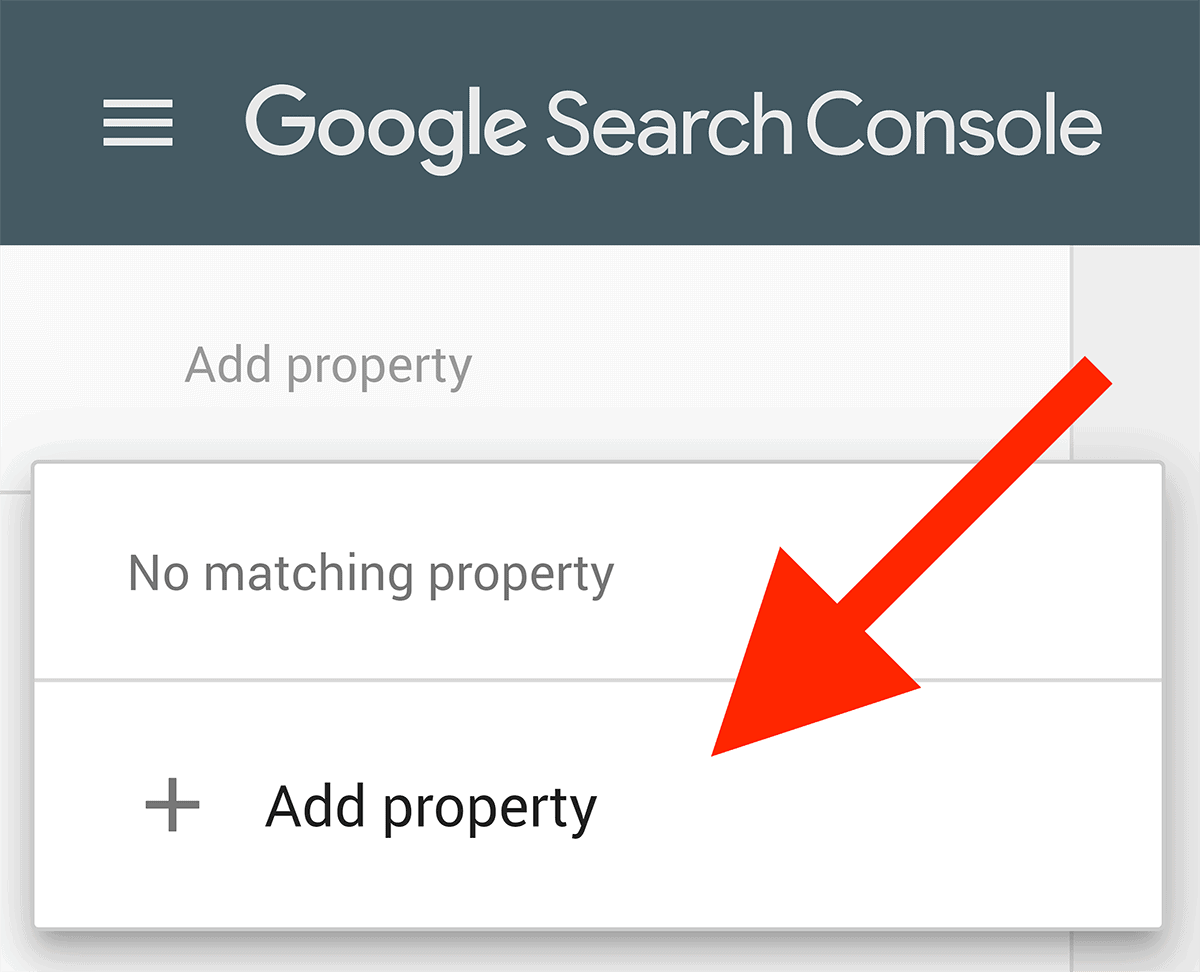
2️⃣ Add Your Website Property
Click “Add Property” and then choose a property type:
- Domain Property: Covers all subdomains and protocols (recommended).
- URL Prefix: Covers only one specific URL.
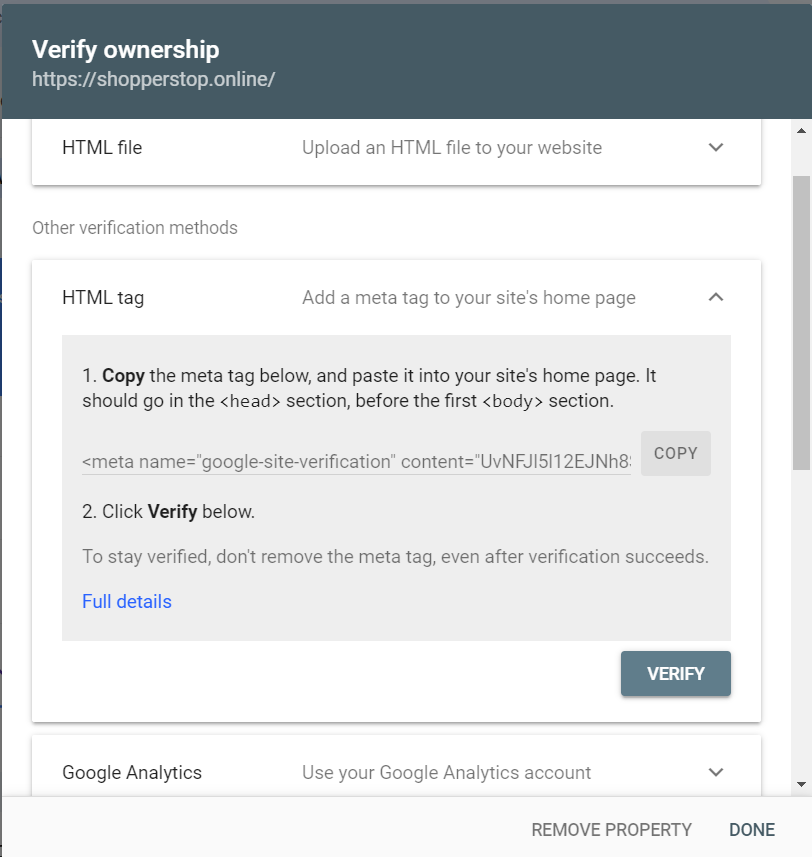
3️⃣ Verify Your Website
Choose one of the following verification methods:
- a. DNS Verification Add a TXT record to your domain’s DNS settings in your hosting panel.
- b. HTML File Upload Download the verification file from GSC and upload it to your website’s root directory.
- c. HTML Meta Tag Add a specific meta tag into the <head> section of your website.
- d. Google Analytics If your site is already connected to Google Analytics, automatic verification can be performed.
4️⃣ Submit a Sitemap
- Go to the Sitemaps menu.
- Enter your sitemap URL: https://yourdomain.com/sitemap.xml
- Click Submit.
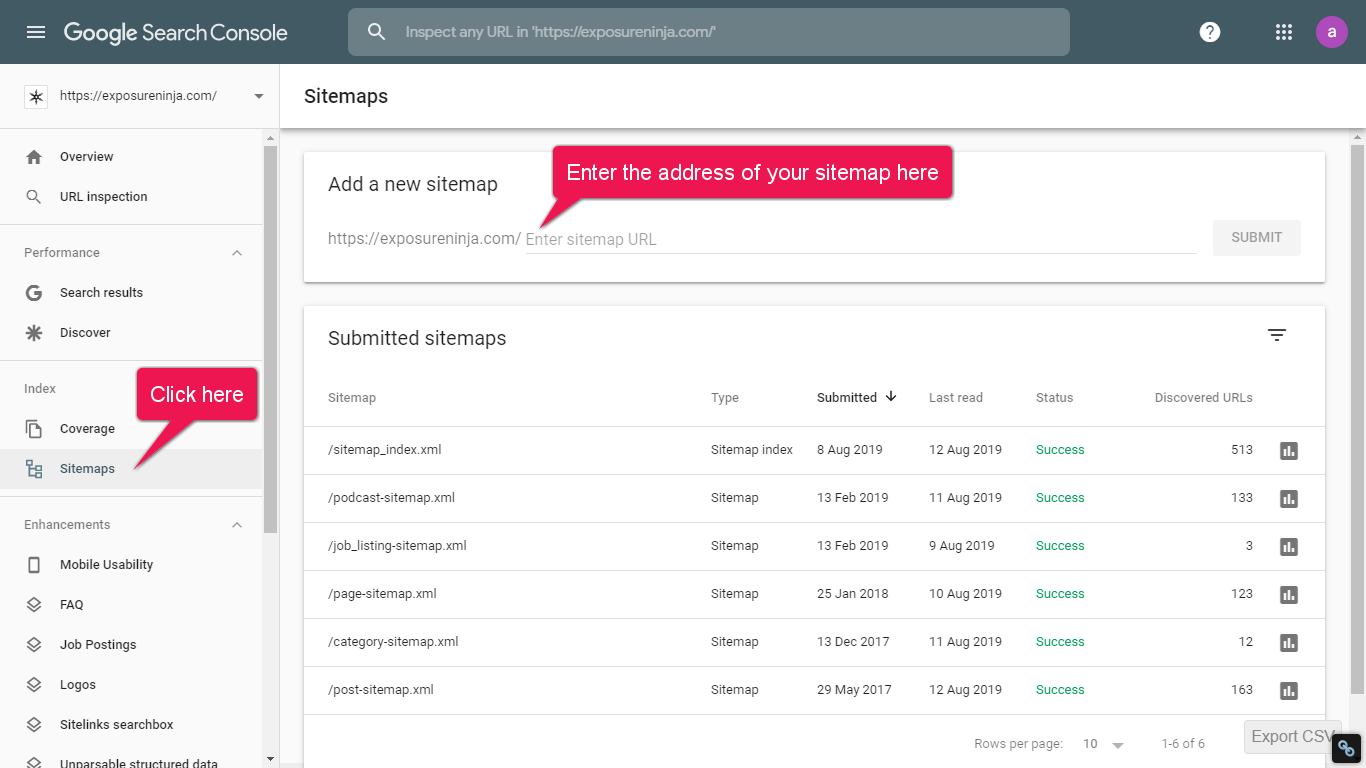
Sitemaps serve to enhance Google's visibility into your website's organizational hierarchy, thereby optimizing indexing efficiency."
5️⃣ Use URL Inspection
- Enter the new article URL
- Click "Request Indexing
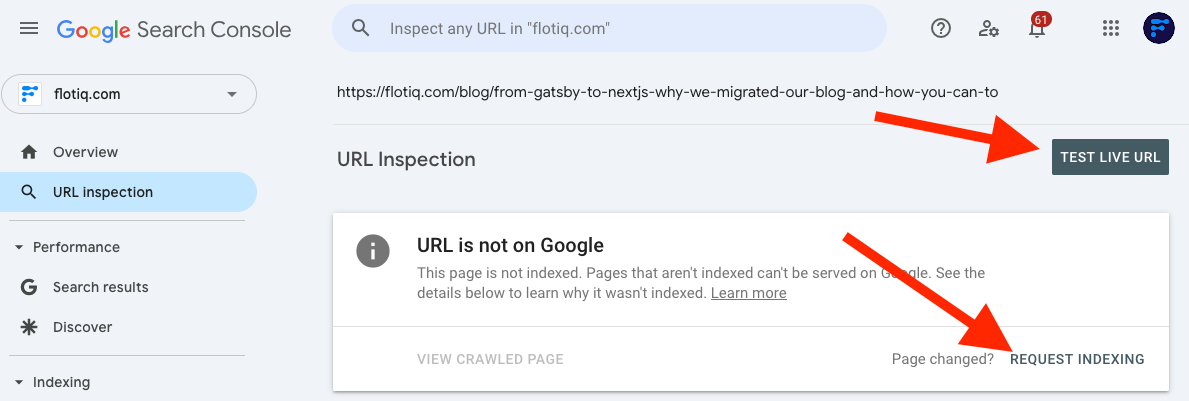
Ensuring new pages are indexed quickly by Google Search
6️⃣ Website Performance Analysis
- Menu: Performance / Search Results
- View: clicks, impressions, CTR, average position
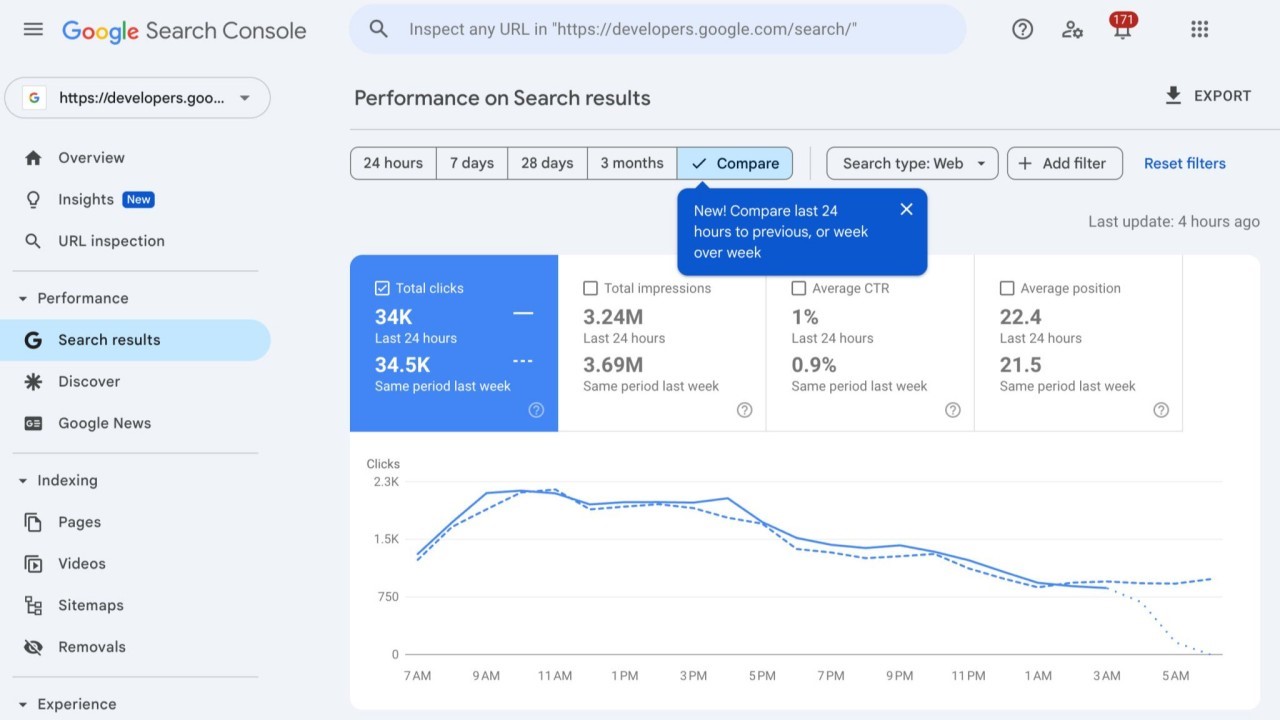
Analysis Tips:
- Focus on keywords with high impressions but low CTR.
- Optimize meta titles and meta descriptions.
- Add internal links to support SEO.
7️⃣ Monitor Technical Errors
- Menu: Coverage / Indexing
- Fix errors: 404, redirect issues, mobile usability
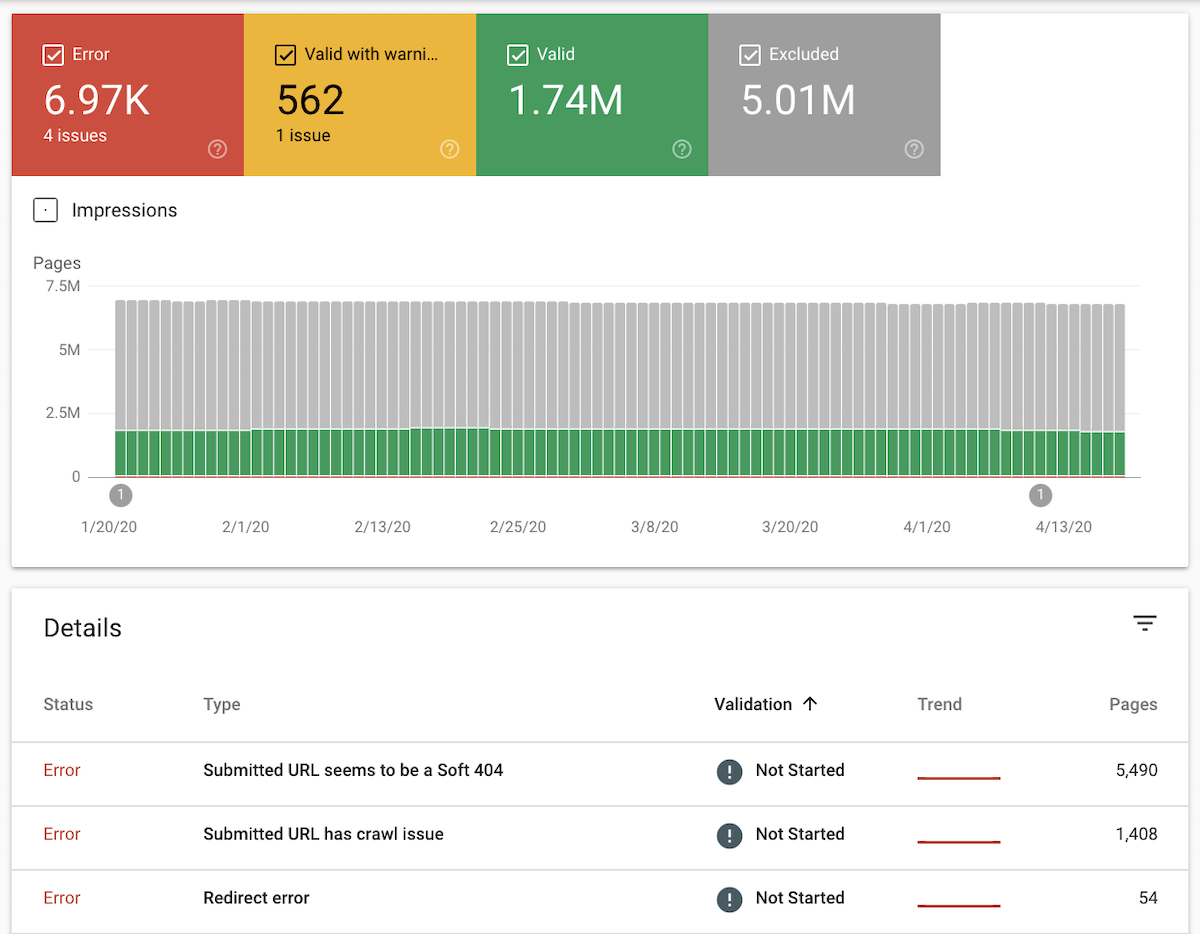
Monitor Errors and Technical Issues (Indexing/Coverage)
Explanation: The Indexing (formerly Coverage) menu displays errors such as 404, redirect issues, pages blocked by robots.txt, or pages that remain unindexed.
Benefits:
- Identify and Resolve Technical Issues: Detect and fix technical problems before they negatively impact your search rankings.
- Maintain a Seamless User Experience: Ensure visitors have a smooth browsing experience without encountering broken links or errors.
- Build Google’s Trust: Enhance your website’s credibility and authority in the eyes of Google.
- Better SEO Performance: Websites free of technical errors tend to achieve superior SEO performance and visibility.
Optimize Core Web Vitals
- Menu: Page Experience
- Ensure:
- Fast loading speed
- No layout shifts
- Mobile-friendliness
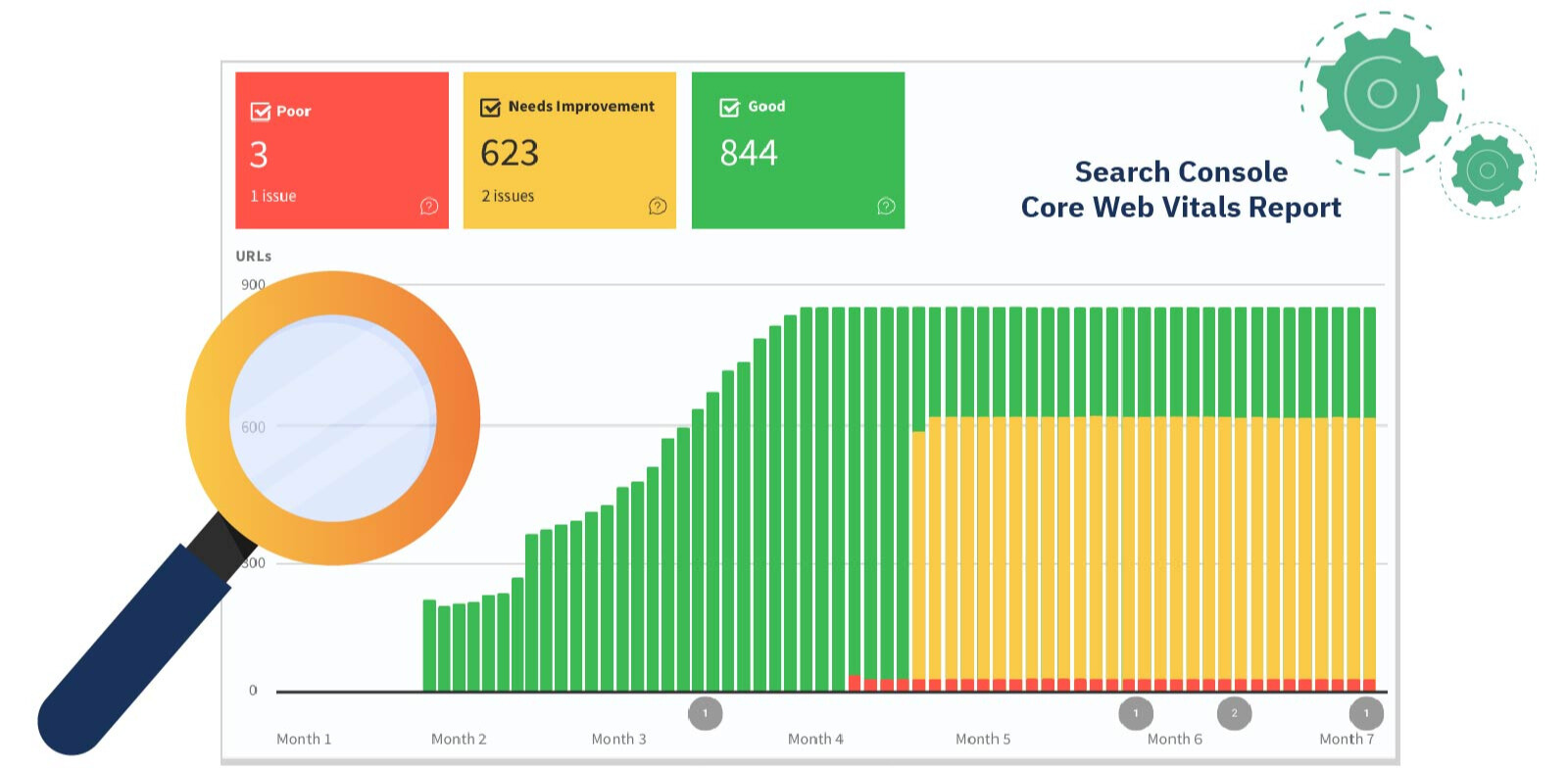
Monitor Core Web Vitals and Page Experience
Explanation: The Page Experience and Core Web Vitals menus show the technical performance of your pages, including loading speed, layout stability, and mobile usability.
That’s it! You are all set.
Google Search Console will begin collecting and analyzing data for your account within the next few days. After approximately one month, you will have access to clear, actionable data from Google, allowing you to fully leverage the following benefits:
- Ensures fast & responsive access: Guarantees that pages load quickly and remain responsive on mobile devices.
- Prevents ranking drops: Protects your site from losing search rankings caused by poor user experience issues.
- Improves conversion rates: Helps boost conversions by preventing visitors from bouncing due to slow or unstable pages.
- Official ranking factor: Core Web Vitals have been an official Google ranking factor for several years.